Open the pupusería's link
They send it to you on WhatsApp or post it on their status. It opens the menu with what's available today: sold-out items don't even show up, so you won't order something they don't have.
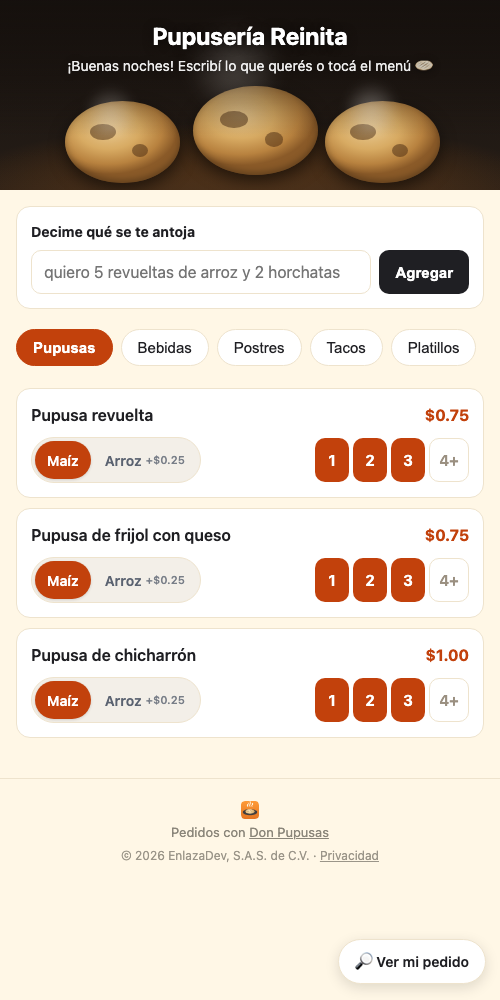
The page is in English too: tap ES | EN at the top right. The menu itself stays as the pupusería wrote it, usually in Spanish. (The screenshots in this guide are in Spanish.)
Tap how many you want
The number is the button: tap 2 and two are added. First choose the dough (corn or rice) if the pupusa comes that way. You'll see your order fill up at the bottom.
Not sure what to get? Revuelta is the classic: pork, beans and cheese mixed together.
Enter your name and phone number
Tap the bar at the bottom and confirm. Choose whether you'll pick it up or want it delivered. For delivery you can share your location with one tap, so the delivery person doesn't get lost. If the pupusería charges delivery by distance, you'll see the cost before confirming and decide.
Follow your order
After confirming you get a link. It shows where your order is —Received, On the griddle, Ready, On the way— with the time of each step. It updates by itself.
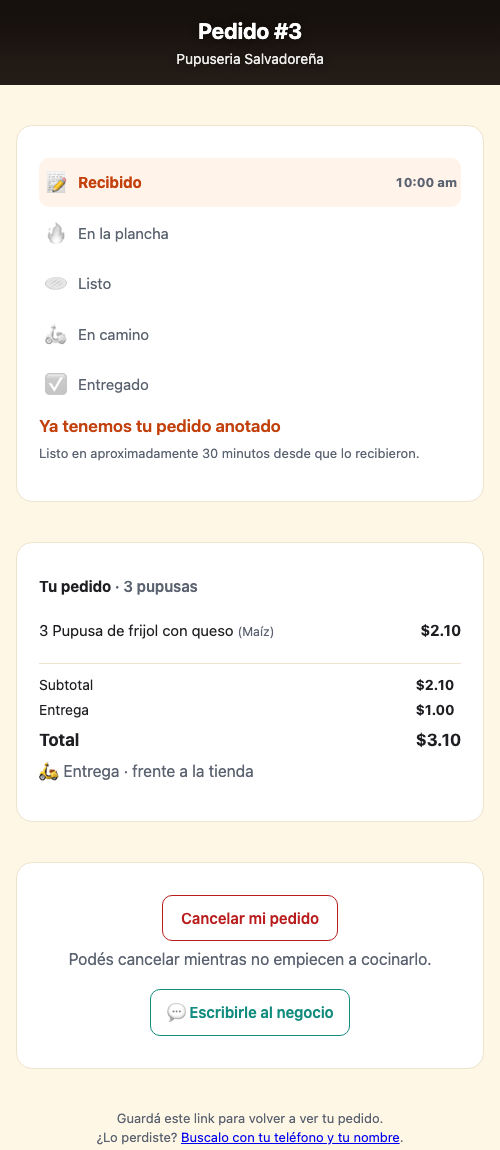
Until they start cooking it, you can cancel right there.
Lost the link?
It happens: the browser closes and it's gone. Go to donpupusas.com/mi-pedido and look it up with your phone number and the same name you used when ordering.
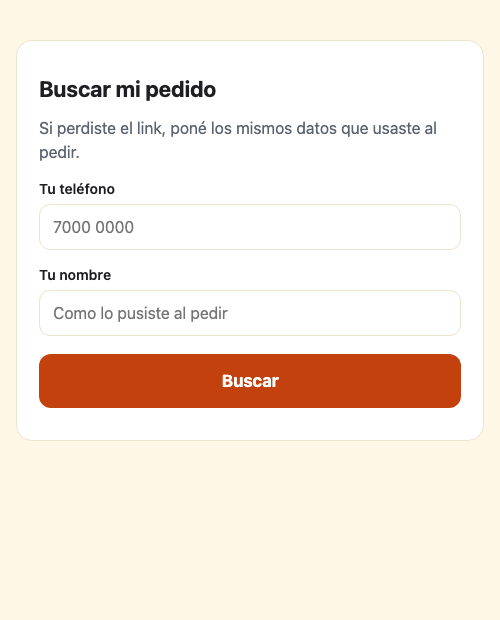
There's also a 🔎 Find my order button at the bottom right of the pupusería's page.
Something wrong with your order? Message the pupusería directly — the button is on your order screen.
Write to us and we'll get back to you. Happy to help.
💬 Message us on WhatsApp 7585-0593 · or by email at soporte@donpupusas.com